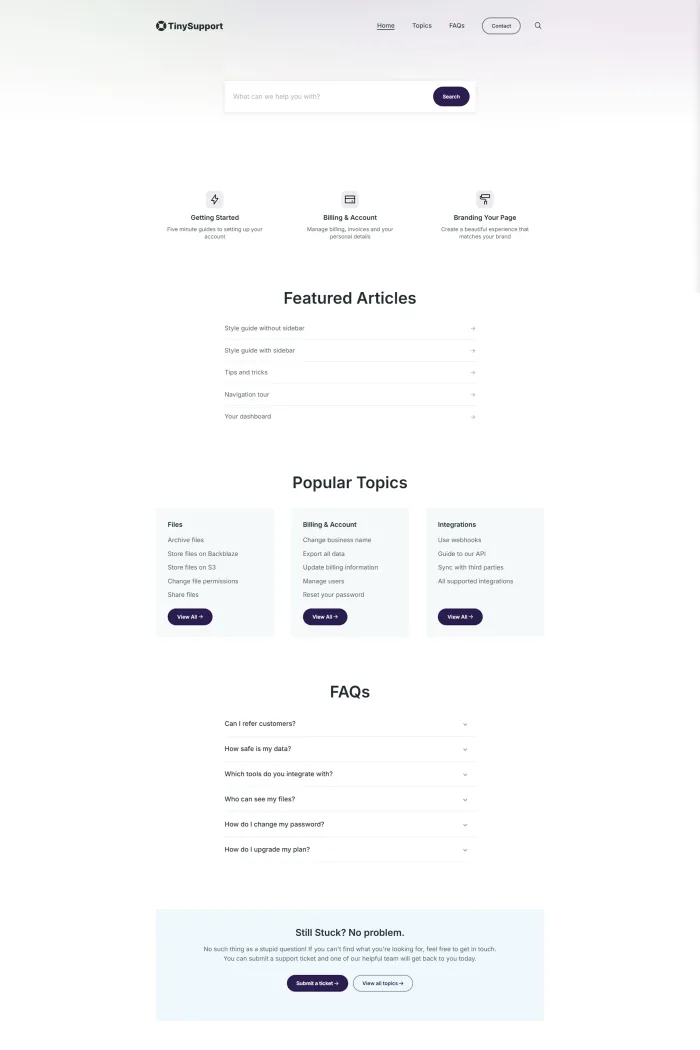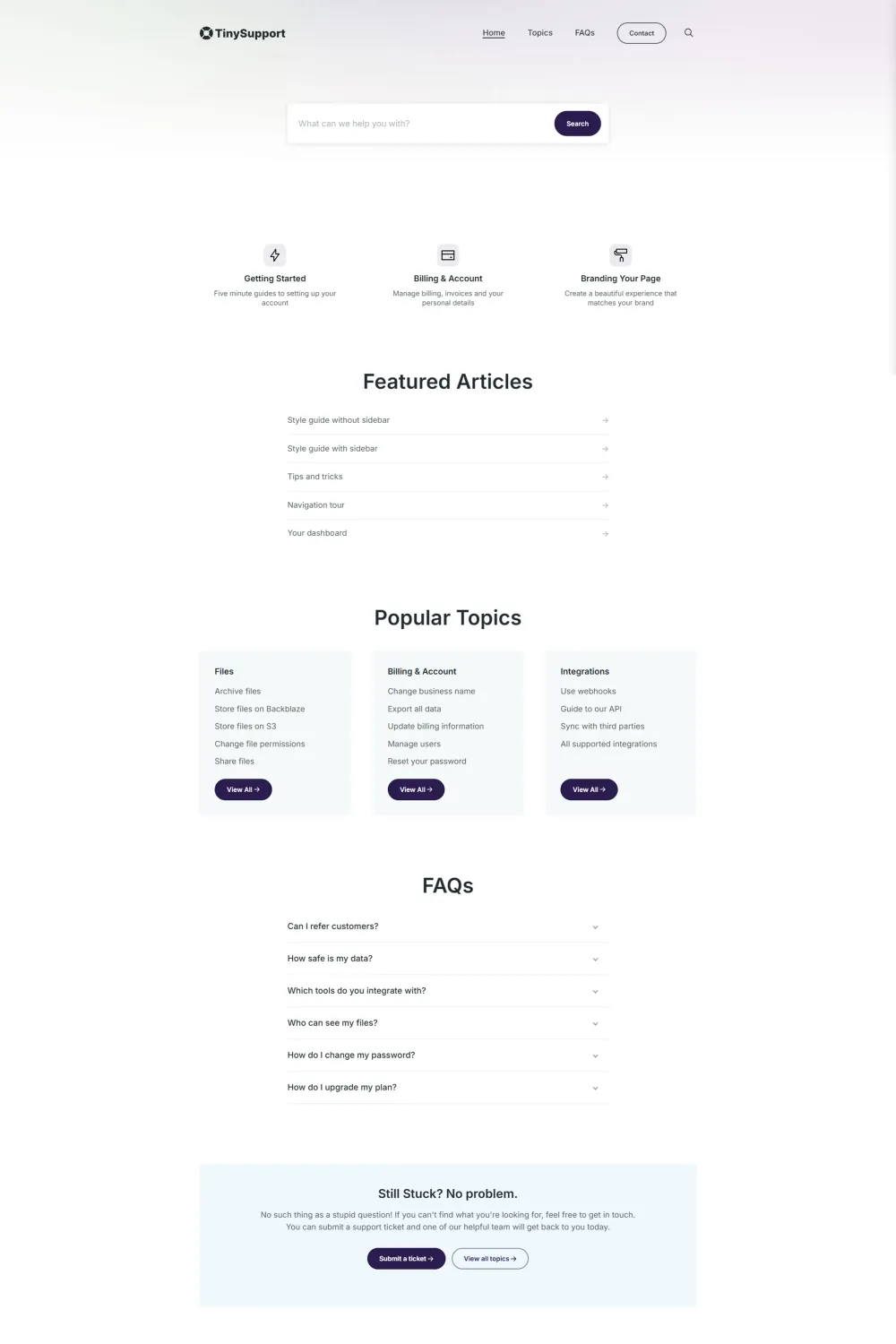

Is your Ghost knowledge base ready to handle real-world support traffic, long KB articles, and accessibility expectations in 2026? Tiny Support by Kick Wheel Themes promises “everything you need, nothing more” for a self-serve knowledge base, wrapped in a minimal Ghost theme built with Tailwind CSS and Alpine JS. This sounds ideal for SaaS support docs, help centres and internal documentation.
Kick Wheel Themes positions its work as “timeless, flexible themes designed to make your life simpler,” with a focus on adaptable design and “impeccable quality” code. We would agree with this, in spite of the limited range of features.
Key takeaways (TL;DR)
- Tiny Support is a documentation-first Ghost theme aimed at knowledge bases, FAQs, and support centers, built with Tailwind CSS and Alpine JS.
- It ships with 9 preset demos, topic-driven navigation, a docs-style homepage, FAQ, changelog and contact templates, plus Ghost native search.
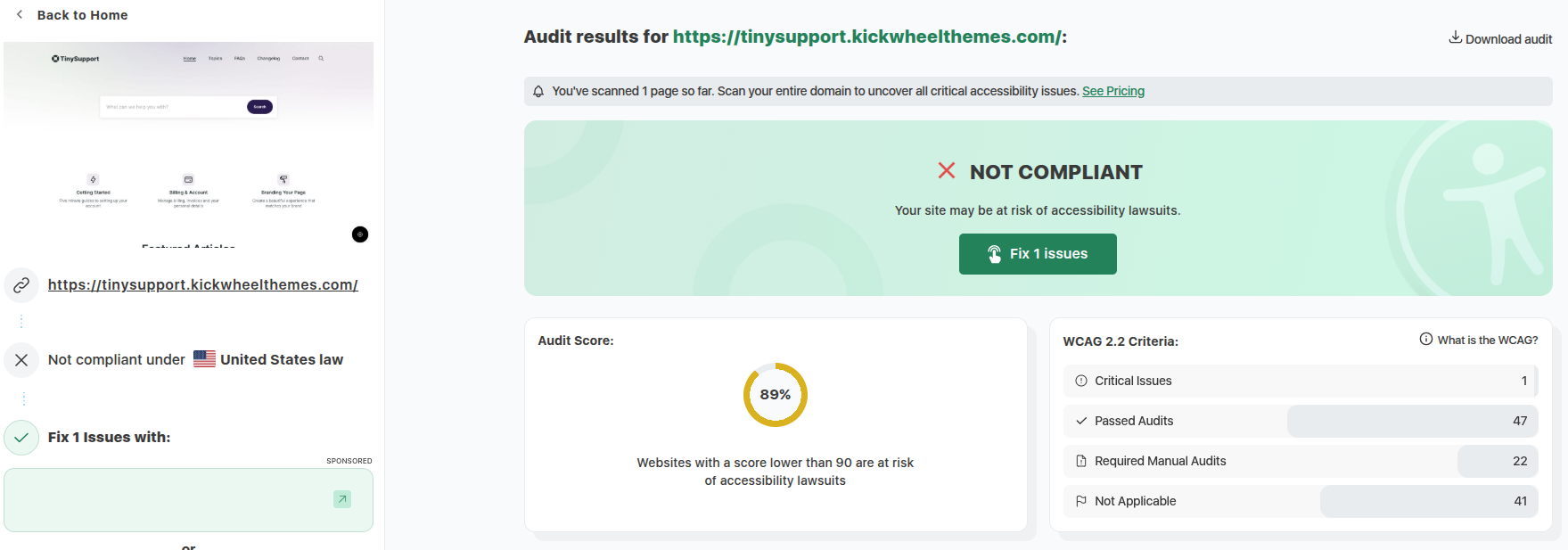
- Real-world accessibility and WCAG checks are strong. Pagespeed Insights Accessibility shows 100/100 with 89% WCAG compliance (with only 1 issue being flagged - the lack of a H1 on the homepage, which users can optionally add)
- The table of contents helps with navigating long articles
- The overall feature set is minimal, but this may be intentional
- At USD 69, the price is competitive for a niche docs theme
What makes Tiny Support Ghost theme unique?
Tiny Support is a minimal, opinionated knowledge base theme for Ghost that focuses on clean topic pages, a docs-style homepage, and a sidebar table of contents—but with a focused feature set and strong accessibility. It also comes with 20 settings to easily customize the appearance, which are showcased with 9 demos.
Tiny Support Ghost theme overview
Tiny Support is marketed as a “knowledge base & documentation Ghost theme with Tailwind CSS & Alpine JS,” designed specifically for self-serve support sites and documentation hubs.
It’s sold via Gumroad for USD 69 by Kick Wheel Themes, with 9 ready-made presets (Sharp, Friendly, Warm Minimal, Loud, Calm, Corporate, Bold, Dark, Cold Minimal) so you can quickly see how the same layout can be styled for different brands.
From the docs and product page, the core promise is straightforward:
- A Ghost theme for docs and knowledge bases
- Topic-driven navigation (tags as topics)
- Clean KB article layout, with an optional sidebar table of contents
- Built-in FAQ and contact templates
- A homepage focused on search and quick navigation to key topics.
The theme officially supports Ghost 5 and Ghost 6 and passes Ghost’s GScan checks. So from a compatibility standpoint, you’re safe for modern Ghost deployments.
If all you want is a simple help guide template or knowledge base theme with a fairly classic support layout, Tiny Support fits that description. It also has full support for all Ghost’s editor cards, and tests show solid accessibility and performance.
Top features of Tiny Support Ghost theme
Knowledge-base structure built on Ghost tags
Tiny Support leans into Ghost’s tagging system and renames the mental model to match knowledge base language:
- Posts = articles
- Tags = topics
The docs explain how each “topic” is just a tag in Ghost, and the theme outputs topic pages listing all articles under that tag.
Key structural pieces:
- Topics page: A dedicated “Topics” page template that lists topics and key articles for each.
- Topic detail pages: For each topic, there’s a page that lists all associated articles.
- Breadcrumbs: The first tag is treated as the “main” topic and used in breadcrumb navigation.
This makes Tiny Support feel like a proper knowledge base theme rather than a generic blog layout with a few docs tweaks.
Docs-first homepage
The homepage combines several documentation-focused blocks:
- A hero area with search, focused on letting users search for answers first. Authors can also add a H1 above (or in place of) the search input.
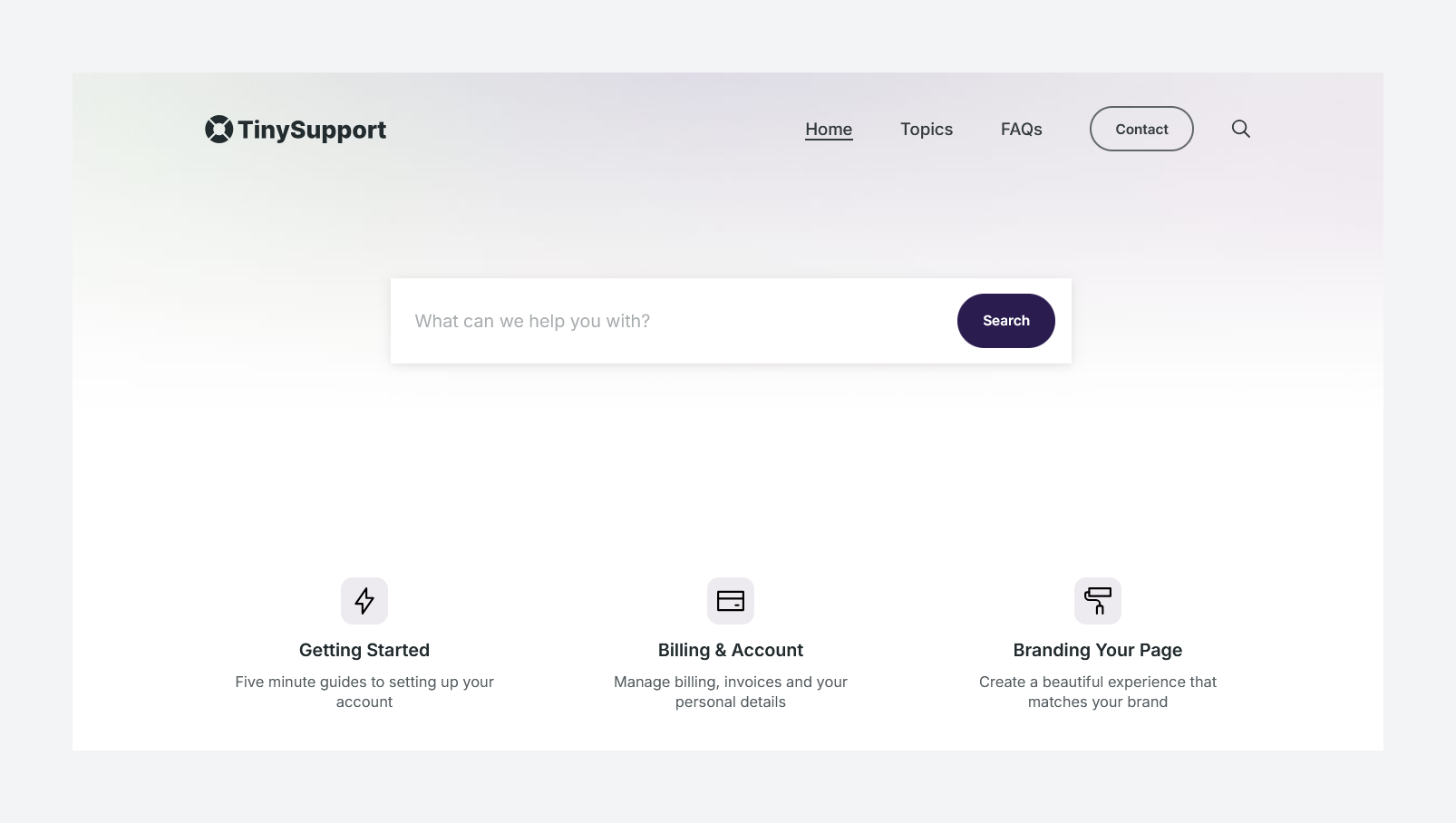
- Signposts: three highlighted topics, configured via theme settings by entering tag slugs; these pull in tag images, colours and descriptions.
- Featured articles: pulls articles marked as “featured” in Ghost Admin.
- Popular topics: topic cards with up to six posts each, again configured via comma-separated tag slugs.
- FAQs block: shows up to six FAQ posts tagged with
#faqon the homepage. - Call to action: a CTA block at the bottom of most pages, configured via theme settings (heading, text, button).
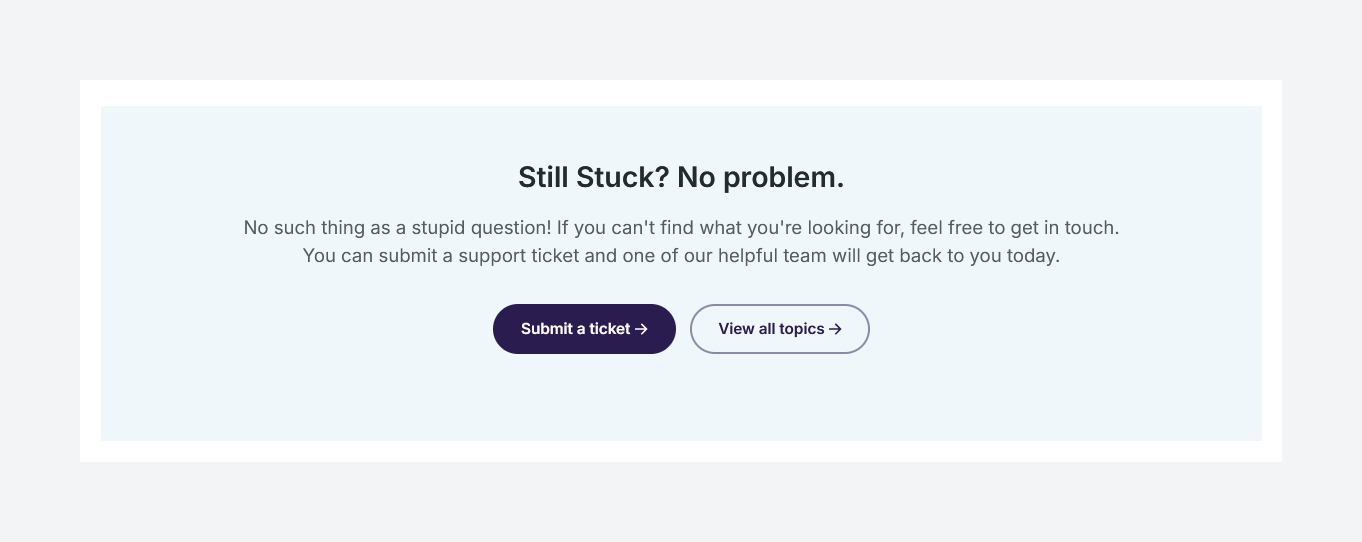
For a minimal Ghost theme, this is a sensible, purpose-built layout for a knowledge base theme or KB article theme.
Article layout with optional table of contents
Each article can be rendered in one of two templates:
- A standard single-column article
- A “Post – Sidebar” template that adds a right-hand sidebar with a table of contents that auto-links to H2 headings in the article
Changelog section
You can create an attractive changelog page by choosingChangelogas the page’s template. This turns H2 elements into a marker on a timeline (usually a date or release number).
FAQ and contact templates
Tiny Support gives you two important support-site building blocks:
- FAQ flow
- You create FAQ posts, tag them as
#faq(internal tag), and the theme pulls them into a dedicated FAQs page and into a block on the homepage.
- You create FAQ posts, tag them as
- Contact / support ticket page
- There’s a contact page template that connects to an external form endpoint like Getform, Formspree, Kwes or Formkeep.
- You paste the form endpoint into the theme settings, then create a “Contact” or “New support ticket” page using the Contact template.
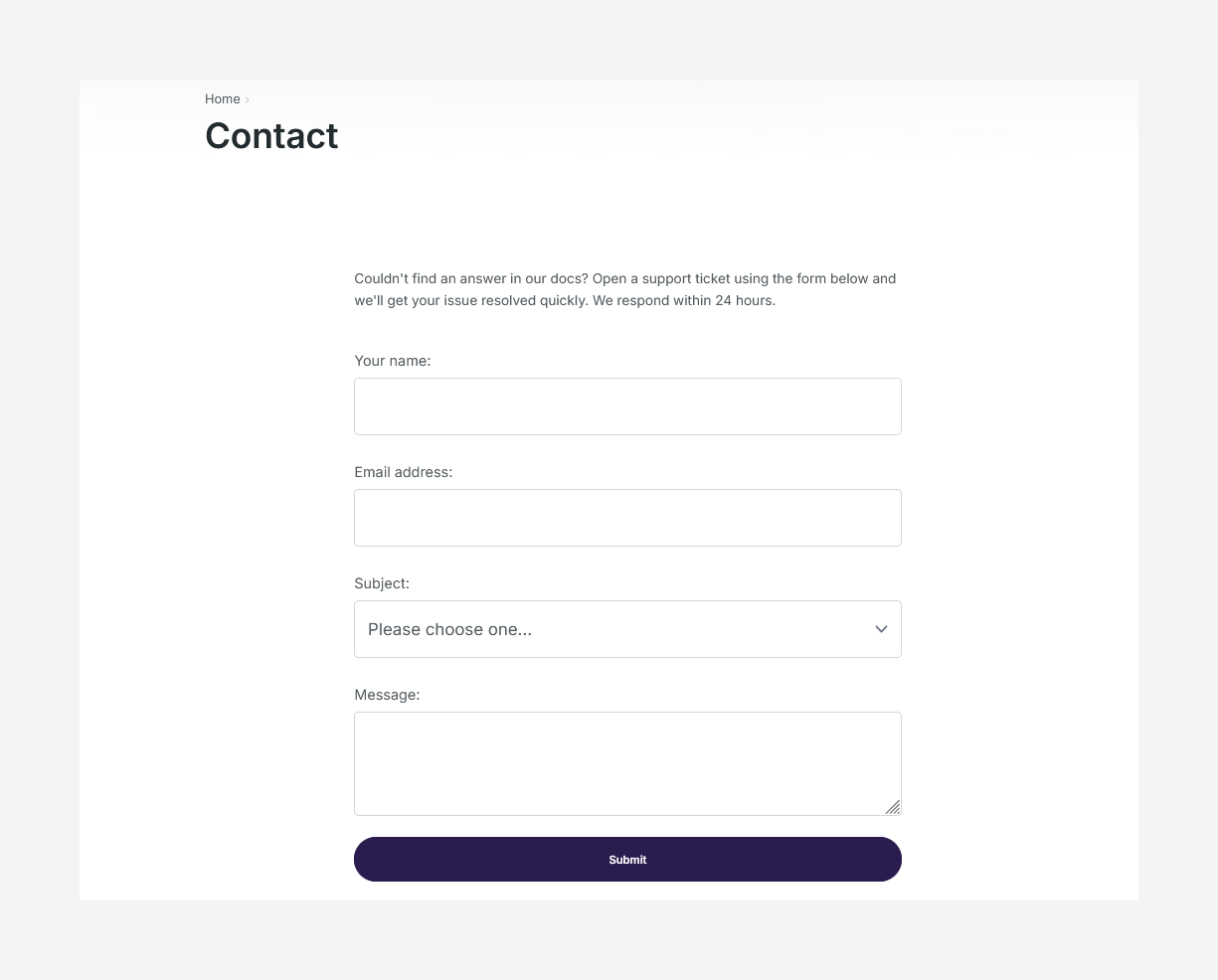
This makes Tiny Support usable as a basic theme for support and help centers where you want users to first self-serve via docs and then create a ticket when they’re stuck.
Ghost native search
The theme doesn’t bolt on a custom search solution; it leans on Ghost’s native search, integrated into the homepage hero and navigation.
For a small to medium knowledge base, this is fine and keeps things simple. If you need advanced search analytics or multi-index search, you’ll need external tooling anyway.
Customization options & presets
In Ghost Admin under Settings → Design & branding → Customize, Tiny Support exposes around 20 theme-specific options, split across the Brand and Theme tabs:
- Accent color via Ghost’s standard Brand tab
- Warm/Cool gray palettes for the overall feel
- Header layout: full-width vs contained
- Header background color and image, plus a “header is dark” toggle to switch text to white for legibility
- Font options via Ghost’s standard fonts plus curated additional fonts.
The 9 demo presets (Sharp, Warm, Corporate, Dark, etc.) are essentially different combinations of these options, giving you a starting point for your own knowledge base theme.
Pros and cons of Tiny Support
Pros
- Clean, focused layout for documentation
It feels like a docs theme from the first glance: search at the top, topics, articles, changelog, FAQs, and a clear reading experience that doesn’t get in the way of the content. - Simple mental model (topics & articles)
Using tags as “topics” and posts as “articles” is intuitive if you already know Ghost. The dedicated topics page, topic detail pages and breadcrumb behaviour make it easy to group content. - Multiple preset styles for different brands
The 9 demo presets give you a quick way to see how Tiny Support can look for different use cases (sharp, warm, corporate, dark, etc.), which is handy if you’re not a designer but still want your support docs to feel on-brand. - Clear documentation and setup steps
The official Tiny Support documentation walks you through uploading the theme, setting up routes, configuring topics, FAQs, CTAs, and the contact form. It’s concise but covers what you need to get from “fresh Ghost install” to “working knowledge base.” - Designed specifically as a knowledge base theme
This isn’t a generic blog theme repurposed for docs. It’s marketed, structured and documented as a Ghost theme for docs and support content from day one. - Strong accessibility and performance
- Google PageSpeed Insights Accessibility score: 90
- WCAG/ADA score: 89%. This is caused by 1 issue on the homepage – the lack of a h1 on the homepage, which users can optionally add.
Cons
- Minimal TOC
TOC is quite minimal, only linking to H2 headings - Minimal feature set compared to other docs themes
The theme’s own tagline is “Everything you need, nothing more,” and that’s exactly what you get. There’s no built-in roadmap, advanced navigation patterns or memberships-focused layouts.
Use cases: who is Tiny Support for (and not for)?
Good fit
- Very small teams needing a simple public docs site
If you’re a tiny SaaS or side-project founder who just wants a basic knowledge base theme with native Ghost search, topic pages and a contact form, Tiny Support can do the job at a low price.
Not a good fit
- Serious SaaS and enterprise support centers
If you’re running high-traffic, business-critical documentation, I’d expect stronger accessibility guarantees, better long-form TOC handling, and richer support features like changelogs, multi-product docs, or member-only areas. Tiny Support simply doesn’t offer that today. - Teams needing powerful docs navigation
For complex documentation sets with many sections, versions or products, the simplistic TOC and topic structure will likely feel limiting quite fast.
Performance, accessibility & SEO
The developer’s own marketing leans heavily on performance and accessibility:
- “Accessible, semantic SEO-friendly code – 100/100 Lighthouse score”
- “Perfect support for Ghost 5 and Ghost 6 – 100% on GScan”
- “Meets all common WCAG accessibility recommendations”
From a performance and SEO perspective, this mostly aligns with my experience:
- Google PageSpeed Insights Best Practices: 100
- Google PageSpeed Insights SEO: 100
The theme uses semantic HTML, supports all of Ghost’s editor cards, and is built with Tailwind CSS and Alpine JS, which generally lead to lean front-end bundles when used well.
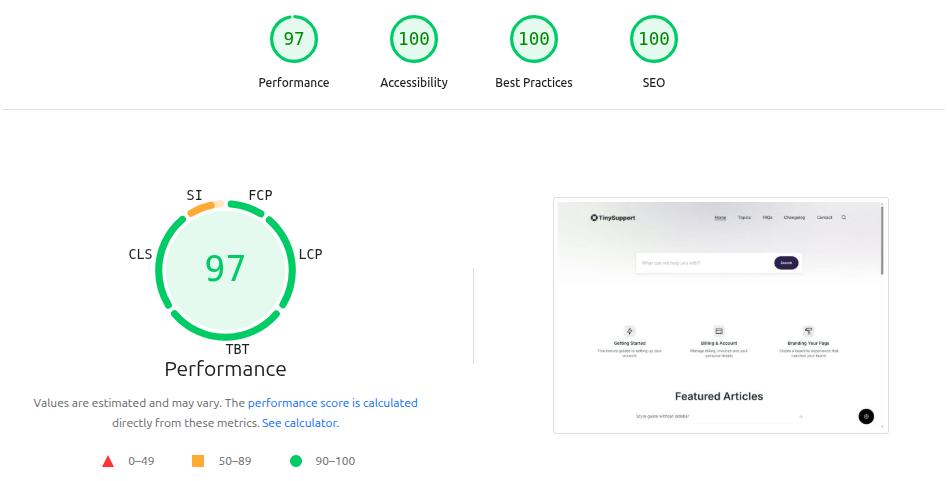
Strong scores for accessibility:
- Accessibility score: 100
- ADA/WCAG: 89%, with 1 issues flagged. This is the lack of a H1 on the homepage, which users can optionally add.
Installation & customization
Basic installation
The setup follows standard Ghost theme practice:
- Upload the
tiny-support.zipfile in Settings → Design & Branding → Customize → Change theme → Upload theme. - Activate the theme.
Routes (required)
Tiny Support requires a custom routes.yaml file for its documentation structure to work:
- Go to Settings → Labs → Routes in Ghost Admin.
- Download your existing routes as a backup.
- Upload the included
routes.yamlfile from the theme package.
Without this step, the topics and KB layouts won’t function correctly.
Topics & articles
To get the knowledge base structure working:
- Create tags for each topic (e.g. “Getting Started”, “Billing”).
- Assign exactly one primary tag to each article for clean breadcrumbs.
- Create a Topics page and set its template to “Topics Page,” and URL slug to
topics. - Add the Topics page to your primary navigation.
FAQs
For FAQs:
- Create FAQ posts where the title is the question and the body is the answer.
- Tag them with
#faq(an internal tag). - Create an FAQ page using the “FAQs Page” template.
- Add it to your navigation.
- The homepage will automatically show a block of up to six FAQ entries.
Contact / support ticket form
To collect support requests:
- Create a form endpoint in a service like Getform or Formspree.
- Paste the endpoint into Settings → Design & branding → Customize → Site-wide → Contact form endpoint.
- Create a new page (e.g. “Contact” or “New support ticket”) and choose the Contact Page template.
- Optionally, set the last nav item to be a button for extra prominence.
Customizing look and feel
Finally, tweak the design:
- Accent color in the Brand tab.
- Warm vs Cool gray palette in the Theme tab.
- Header layout (full-width or contained), background color or image, and a “header is dark” toggle.
- Optionally model your site after one of the 9 demo presets by matching colours and layout choices.
The customization experience is straightforward, but again, it’s very much in the “minimal ghost theme” category—manageable, but not particularly deep.
Rating & recommendation
My rating: ★★★★☆ (4/5)
Even with the clean layout and sensible docs-first structure, I can’t ignore the issues:
- Weak real-world accessibility despite strong marketing claims
- A table of contents that doesn’t scale well to serious documentation
- A style guide page that exposes rough edges instead of inspiring confidence
- A feature set that feels bare-bones when you compare it with other documentation themes
At USD 69, Tiny Support is priced competitively for a niche documentation / knowledge base theme, especially from a boutique developer like Kick Wheel Themes. But price alone doesn’t make up for the gaps I’ve seen.
Do I recommend this theme?
Right now, Yes. Tiny Support has worked upon their accessibility. They have shown proactive measure to make this a better theme, which shows a great attitude of the developer.
FAQs about Tiny Support Ghost theme
What is Tiny Support Ghost theme?
Tiny Support is a Ghost theme built specifically for documentation, knowledge bases and support sites. It uses Tailwind CSS and Alpine JS and ships with topic pages, FAQ templates, a docs-style homepage and Ghost native search.
Who is Tiny Support best suited for?
Tiny Support is best for small teams or side projects that need a simple public docs or help guide template, and who are okay with a the simple feature set.
Does Tiny Support work with Ghost 5 and Ghost 6?
Yes. The product page explicitly mentions “perfect support for Ghost 5 and Ghost 6” with a 100% GScan score, so it’s built for modern Ghost versions.
Does Tiny Support include built-in search?
Yes. Tiny Support uses Ghost’s native search, which is integrated into the homepage hero and site navigation so users can quickly search your KB articles.
How does the Tiny Support table of contents work?
When you choose the “Post – Sidebar” template for an article, Tiny Support auto-generates a table of contents based on your H2 headings. This simple approach prevents the list getting unwieldy.
How much does Tiny Support cost?
At the time of writing, Tiny Support is listed at USD 69 on the official Gumroad product page. Pricing may change, so always double-check the current listing before you buy.
Tiny Support alternatives (better documentation Ghost themes)
If you like the idea of a Ghost theme for docs but want something more mature, here are better-rounded alternatives, all listed on Theme My Blog:
- Doks is a full-featured documentation and help center theme by Spiritix with multi-documentation support, built-in changelog timeline, roadmap pages, blog integration and a showcase area for case studies. It’s a better fit if you manage docs for multiple products or modules and need more structured navigation than Tiny Support offers.
- Docslab, by Electron Themes, focuses on high-performance docs with light and dark modes, RTL support, translation readiness and native Ghost membership/subscription support, plus strong search and code syntax highlighting. It’s ideal for international SaaS documentation and global knowledge bases.
- Array by Bright Themes is a vibrant, category-driven Ghost theme with a dynamic tag feed, multiple grid layouts, versatile post templates (including TOC layouts) and strong accessibility and performance practices such as WCAG-aware design and lazy-loaded WEBP images. If you want docs plus blog/newsletter or content marketing, Array is much more flexible than Tiny Support.
- DigiDocs from GBJ Solution is a minimal documentation and knowledge base theme with features such as automatic table of contents, FAQ and changelog pages, breadcrumb navigation, full membership support and strongly documented performance metrics (GScan 100/100, PageSpeed ~99/99). It’s a better pick if you want a minimal Ghost theme for docs that already has a more reliable accessibility and performance profile.
Conclusion
Tiny Support aims to be a focused, minimal Ghost theme for documentation, knowledge bases and support sites – and we think it succeed. The layout is clean, the docs structure is sensible, and the price is attractive. This is complimented by solid accessibility and performance results. It doesn’t have any stand out features compared to other documentation themes, so you should compare a few.