
Lumi looks excellent, but looks are not enough for me to recommend a magazine theme. After going through the official product page, features page, demo, developer site, and docs snippets, I think Lumi is a strong creative Ghost theme but a weaker choice for buyers who specifically want a serious, content-dense magazine setup. Ekto Themes positions it for agencies, studios, portfolios, freelancers, and blogs, which already tells me this product is broader and more portfolio-leaning than magazine-first.
Ekto Themes presents itself as a studio building professional, modern, minimal Ghost themes with a focus on performance, ease of use, built-in Ghost features, and friendly support. On paper, that pitch is solid. Lumi is priced at $89, ships with lifetime updates and 12 months of free support, and the product page says it is trusted by 7+ customers.
TL;DR
- Lumi is a polished, minimal Ghost theme with strong native Ghost integration, more than 20 custom settings, 8+ color schemes, and three post templates.
- The theme is excellent for agencies, studios, portfolios, freelancers, and creator blogs, but I do not think it is one of the strongest magazine-first buys.
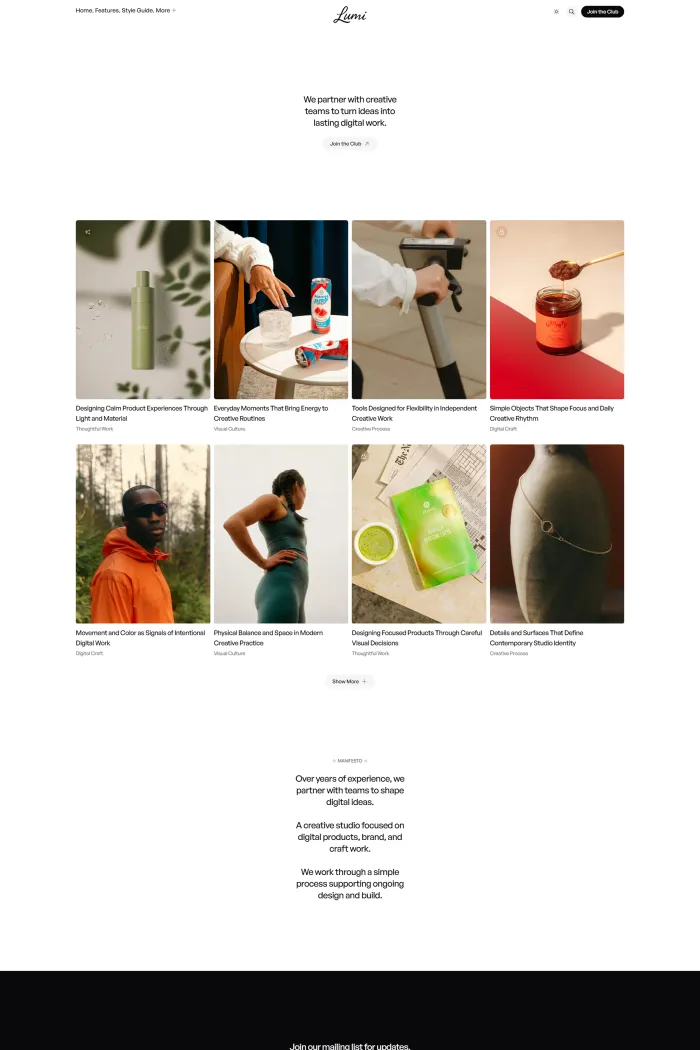
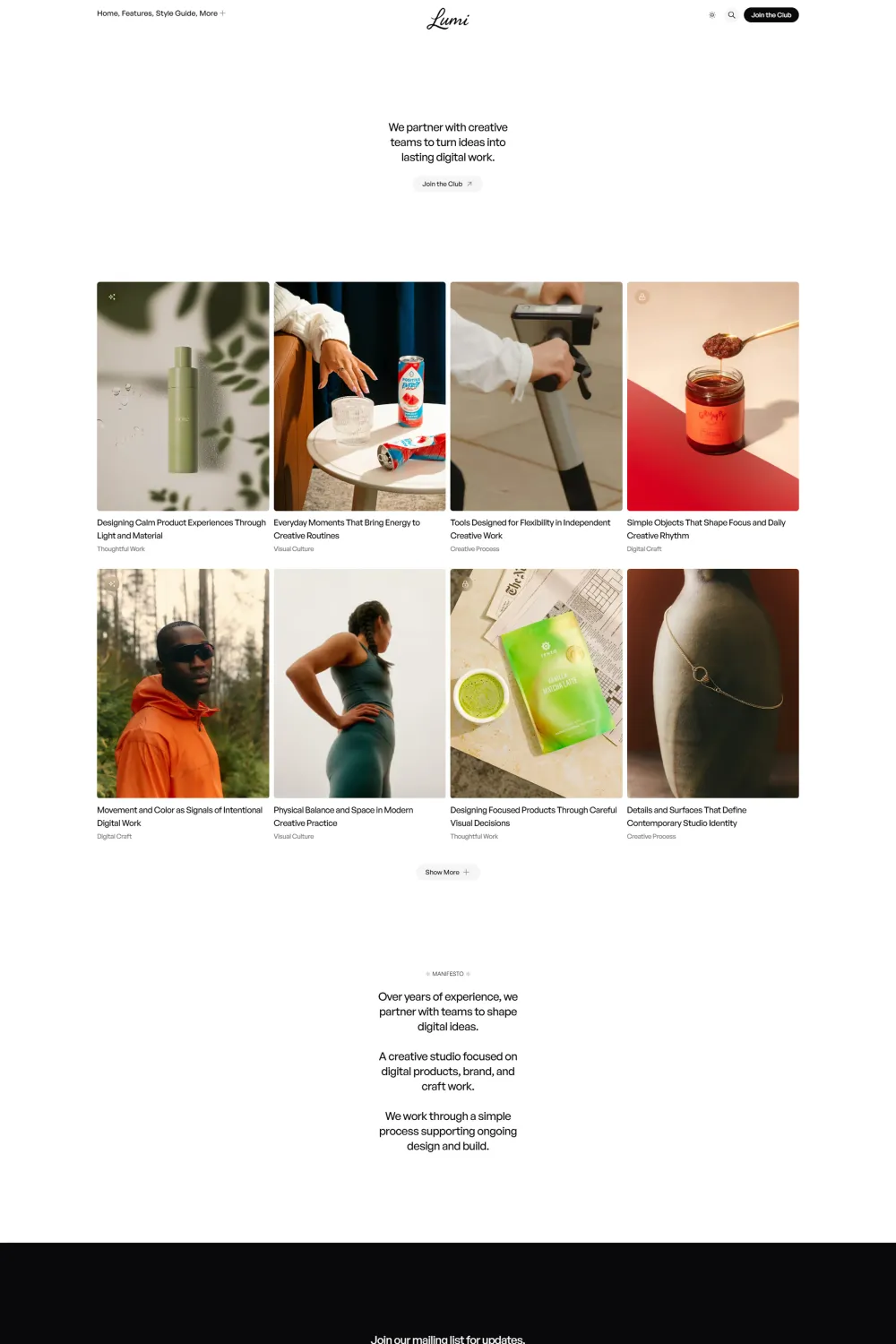
- The official demo looks clean and intentional, but it feels more like a creative journal or studio publication than a robust online magazine.
- Your supplied audit brief gives Lumi perfect PSI Accessibility, Best Practices, and SEO scores, but it also marks ADA/WCAG as “Not Compliant,” which makes me cautious about over-claiming compliance.
- I do not recommend Lumi for most magazine buyers, and I agree with the supplied 2/5 rating. For this use case, I think there are more publication-oriented alternatives.
What makes Lumi unique?
Lumi’s clearest strength is not raw feature novelty, but the way it packages a polished creative aesthetic with native Ghost features, 20+ Ghost Admin settings, 8+ color schemes, custom fonts, multiple post templates, and a manifesto-driven homepage. My problem is that this uniqueness feels aimed more at creative studios and portfolio-style publishing than at serious magazine workflows.
Theme overview
Lumi is sold as a clean, modern Ghost theme for creative projects. The official copy repeatedly frames it around agencies, studios, portfolios, freelancers, and blogs, and the live demo reflects that positioning with large visual cards, generous spacing, a manifesto section, and a quiet, art-directed feel. That is a good identity. It is just not the same thing as being a top-tier magazine Ghost theme.
The feature depth is respectable. Lumi supports memberships, tiers, portal, comments, search, announcement bar, recommendations, public previews for members-only posts, related posts, multiple authors, custom tag and author pages, and a custom 404 page. It also includes lightbox image zoom, responsive videos and tables, secondary navigation, and 30+ supported social links.
I also like that the docs appear organized enough to cover installation, navigation, customization, posts per page, and theme updates. Search results show a GitBook-based docs structure with sections like Installation, Navigation, Customization, Posts per page, and Update theme. That is a real plus.
Still, I see two small trust issues in the official materials. First, the compatibility messaging is slightly inconsistent: the features page says Lumi works with Ghost 5.130+ and 6.0+, while the theme info block lists compatibility as 6.0+. Second, the product page highlights only 7+ customers, which is not exactly a big installed base for a premium Ghost theme.
Top features of Lumi Ghost theme
- Clean, modern, fully responsive design built for creative projects.
- 20+ custom settings in Ghost Admin for colors, dark mode, typography, logos, and visual tuning.
- 8+ color schemes: Light, Sepia, Blueberry, Forest, Tangerine, Wine, Lavender, and Dark.
- Custom fonts with local, Ghost, and system font options.
- Automatic dark mode based on system preferences, plus dark mode logo support.
- Advanced hero section and two thumbnail styles: Portrait and Landscape.
- Exclusive Manifesto section on the homepage.
- Three post templates: Regular, Wide, and Full.
- Built-in Ghost memberships, tiers, portal, search, announcement bar, recommendations, comments, and member-only previews.
- Translation-ready with EN, ES, FR, PT, DE, NL, IT, TR, and AR included.
- Responsive images with AVIF and WebP support.
- Related posts, upgrade CTAs, lightbox image zoom, responsive videos and tables, and 30+ social links.
Pros & cons
Pros
- The design is polished. Lumi looks refined, modern, and easy on the eyes. The live demo has a consistent visual rhythm and feels more premium than many generic Ghost templates.
- The Ghost feature coverage is strong. Memberships, portal, search, comments, recommendations, public previews, related posts, and custom archives are all built in.
- Customization is better than it first appears. Between 20+ settings, 8+ color schemes, custom fonts, dark mode, hero options, and thumbnail choices, there is enough flexibility for non-technical users.
- The documentation appears structured and practical, with sections for installation, navigation, customization, posts per page, and updates.
- Your supplied PSI brief is excellent on paper: Accessibility 100, Best Practices 100, and SEO 100.
Cons
- I do not think Lumi is truly magazine-first. The official positioning and the demo both lean more toward agencies, studios, portfolios, freelancers, and creative blogs than toward content-heavy editorial publishing.
- The layout is elegant, but it is also sparse. For serious magazine sites, I usually want denser content organization, more obvious topic hierarchy, and a more publication-focused homepage system. The demo feels more like a creative showcase with articles than a full magazine framework.
- The compatibility messaging is not perfectly consistent across official pages, which I do not love in a paid product. One section says Ghost 5.130+ and 6.0+, while another lists 6.0+ compatibility.
- The pricing is not outrageous at $89, but for a buyer specifically shopping for a magazine Ghost theme, I think the value proposition is weaker because the product is clearly aimed at a broader creative audience.
- The PSI report page itself shows no CrUX real-user field data, so the perfect lab-style scores should not be confused with broad real-world performance proof.
Who should use Lumi?
For agencies and studios
This is the audience I think Lumi serves best. The official copy mentions agencies and studios repeatedly, and the demo’s manifesto block, wide spacing, and curated visual tone all fit a creative studio presence nicely.
For portfolios and freelancers
Lumi also works well for freelancers and portfolio-adjacent sites that publish essays, case studies, or thoughtful updates rather than dense editorial coverage. The clean typography, multiple post templates, color schemes, and brand controls all support that use case.
For magazine publishers
This is where I pull back. Can Lumi run a magazine? Yes. Would I choose it over stronger editorial alternatives if my site’s core identity is “online magazine”? No. For that use case, the theme feels too creative-showcase oriented and not publication-specific enough.
Performance, accessibility, and SEO
On paper, Lumi looks flawless in your supplied PageSpeed summary: 100 for Accessibility, 100 for Best Practices, and 100 for SEO. That is as clean as it gets in a scorecard.
But there is an important caveat. The PageSpeed Insights report page itself says the Chrome User Experience Report does not have sufficient real-world speed data for this page, so there is no CrUX field-data layer to validate how Lumi performs for actual users at scale. That does not make the lab scores fake, but it does mean I would be careful about turning them into overly broad claims.
Accessibility is where I would stay cautious in my wording. Your brief marks Lumi as Not Compliant while also giving it a 95% ADA/WCAG score and listing zero issue rows. Because those inputs point in different directions, I would not sell Lumi as fully accessibility-compliant based on this audit alone.
From an SEO and AEO perspective, the theme does many things right. It is responsive, supports modern image formats, includes native Ghost search and recommendations, offers public previews for members-only posts, and gives you well-structured author and tag archives. Those are useful building blocks. I just do not think they rescue the core issue that this theme feels more “creative publication” than “magazine specialist.”
Installation & customization guide
The public docs are not fully readable in this browser, but the searchable documentation snippets are enough for me to confirm the setup flow at a high level. Lumi has docs sections for Installation, Navigation, Customization, Posts per page, and Update theme, and the update guide snippet says updated versions are uploaded through Ghost Admin using Theme → Change theme → Upload theme.
The navigation docs also confirm that Lumi supports two navigation areas: primary navigation in the header and secondary navigation in the footer. The customization docs confirm accent color changes are handled in Design & branding → Customize. That tells me the theme stays fairly close to standard Ghost workflows, which is good for maintainability.
Rating & recommendation
My rating: ★★☆☆☆ (2/5).
I do not recommend Lumi for most magazine buyers. That does not mean it is a bad theme. In fact, it is a good-looking and technically capable theme. But if I am specifically shopping for a Ghost magazine theme, I want stronger editorial structure, clearer publication-first positioning, and a better match between the product’s identity and the use case. Lumi feels more at home with agencies, portfolios, studios, freelancers, and creator blogs than with serious magazines.
If you run a creative blog or studio publication, I can see the appeal. If you run a real magazine, I would keep looking. For this use case, the theme’s polish is not enough to offset the mismatch.
FAQs
Is Lumi a magazine Ghost theme?
It can be used that way, but the official positioning is broader. Ekto Themes markets Lumi for agencies, studios, portfolios, freelancers, and blogs, which makes it feel more like a creative publishing theme than a true magazine specialist.
What are Lumi’s strongest features?
Its biggest strengths are its polished design, 20+ custom settings, 8+ color schemes, three post templates, native Ghost memberships and portal support, search, recommendations, custom archives, and modern image support.
Does Lumi support Ghost memberships?
Yes. The official features page lists built-in Ghost portal, memberships, tiers, recommendations, comments, search, announcement bar, and public previews for members-only posts.
Is Lumi easy to customize?
Yes, mostly. The product page and features page both say Lumi includes 20+ custom settings in Ghost Admin for colors, dark mode, typography, logos, and visual details.
Does Lumi have documentation?
Yes. The searchable docs show sections for Installation, Navigation, Customization, Posts per page, and Update theme, and the site calls the docs step-by-step.
Is Lumi accessibility compliant?
I would not claim full compliance from the supplied audit alone. Your brief marks it “Not Compliant” despite also showing a 95% ADA/WCAG score and zero listed issue rows.
Does Lumi have real-world CrUX performance data?
Not in the PageSpeed report you supplied. The report page says there is not enough Chrome User Experience Report data for this page.
Lumi alternatives
- Echo is the cleaner publication-first alternative if you want a magazine layout with featured articles and membership subscription built more obviously into the homepage concept. Theme My Blog’s surfaced snippets describe Echo around that exact combination.
- Noise is the better choice if you want a bold editorial identity. It offers dark mode, Ghost Admin custom settings, hero images, logo carousels, dedicated pages for featured and members-only content, and Ghost v5.0+ compatibility.
- Groovy is the stronger all-round blog alternative if you want speed, native search, memberships, Koenig support, syntax highlighting, custom subscribe and sign-in pages, and translation readiness.
- Vincent is the strongest magazine-oriented alternative in this group. It is positioned around editorial design, nine post layouts, modular homepage sections, newsletter and paid-member growth, and a clearer “professional publication” mindset.
Conclusion
Lumi is polished, capable, and attractive. I can absolutely see why someone building a creative studio blog, portfolio journal, or agency publication would buy it. But that is exactly why I do not recommend it here. For a magazine-focused buyer, Lumi feels too broad, too portfolio-leaning, and not publication-specific enough to stand out at $89. If I were building a serious online magazine, I would choose a theme that feels editorial at its core, not just elegant around the edges.