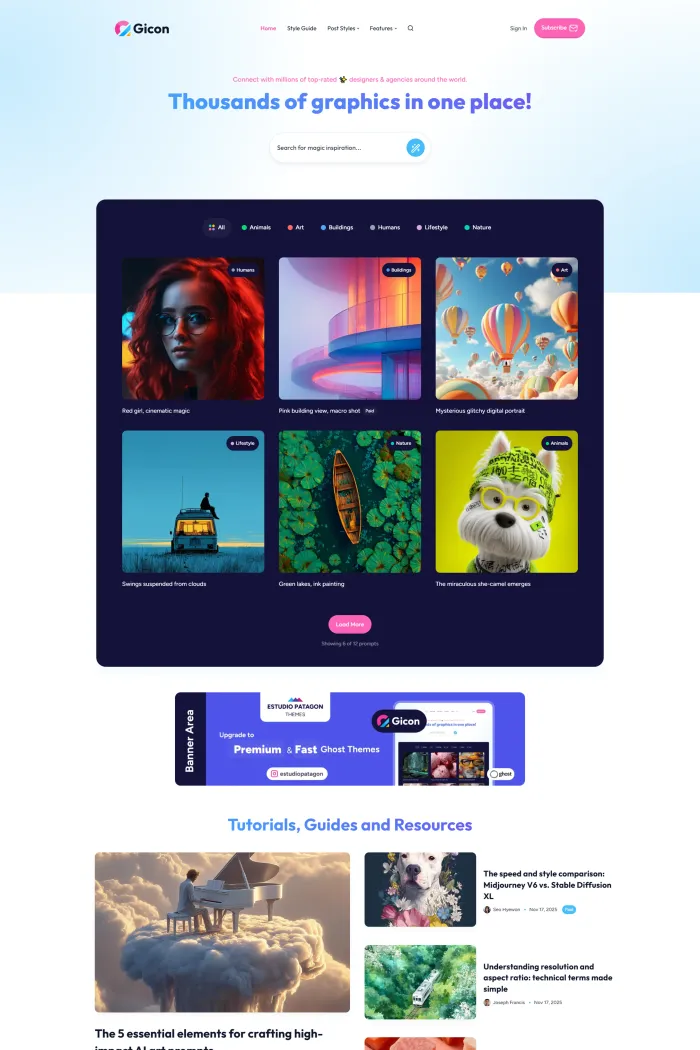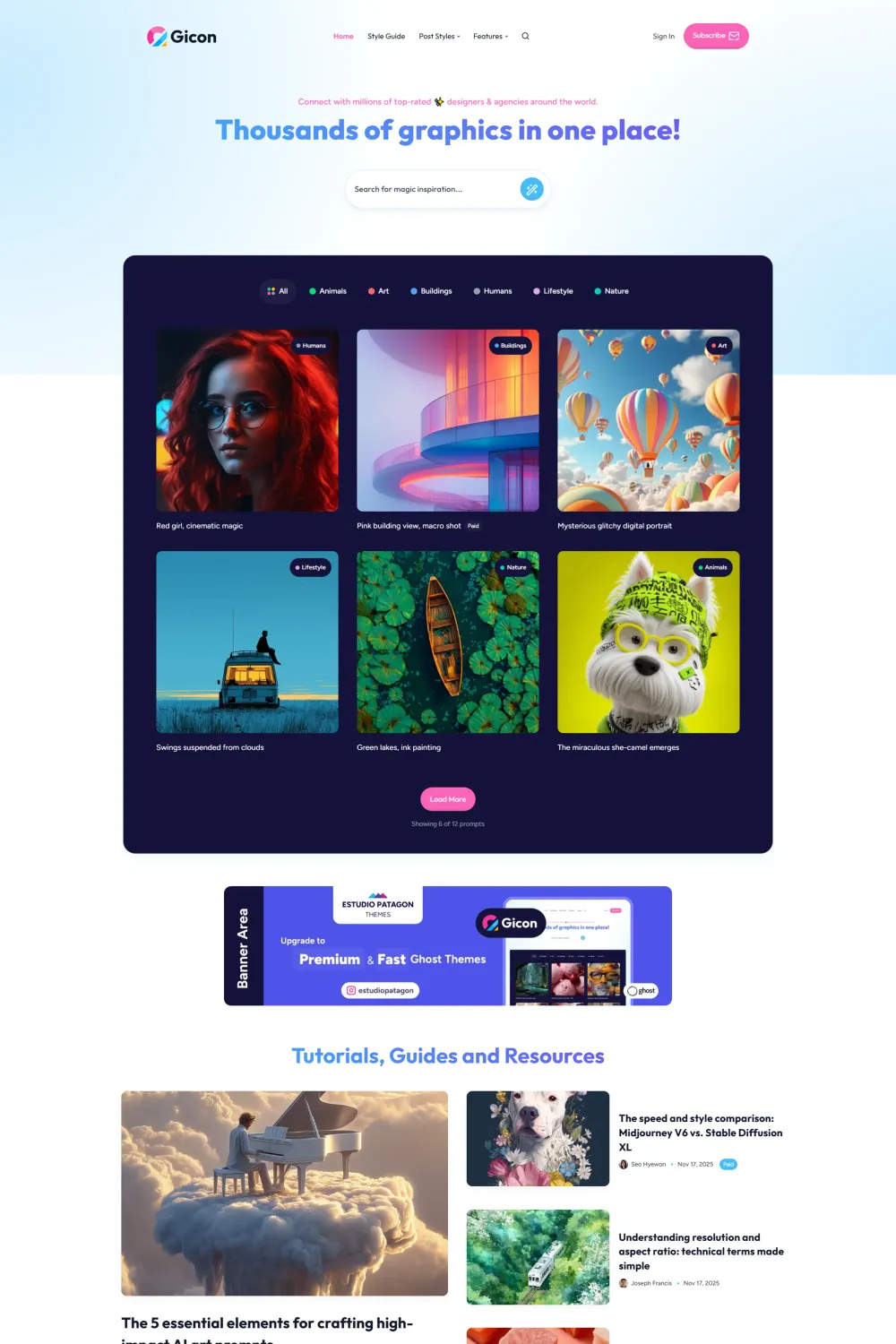

Gicon is one of those Ghost themes that immediately tells me it is not trying to be a plain editorial template. It is built for creators who want a magazine-style site with prompts, gated content, tutorials, and a bold creative-tech feel rather than a conventional news layout. That difference matters, because if your content model fits, Gicon feels far more purposeful than a generic magazine theme.
I also like that this is not a random one-off product. EstudioPatagon presents itself as a Ghost and WordPress specialist trusted by 12,000+ customers since 2012, and its broader site emphasizes performance, ease of use, ongoing updates, and support. On the Gicon product page, the theme is documented as Ghost 6.x compatible, sold on a yearly license for unlimited websites, and bundled with one year of updates and technical support.
TL;DR
- I like Gicon most for niche magazine projects that blend articles, prompt-style content, and memberships rather than for a traditional broad-news publication.
- Its biggest differentiator is the built-in Prompts workflow, which gives you a dedicated way to publish copyable snippets with public or premium visibility.
- It covers a lot of Ghost basics well: native search, native comments or Disqus, pricing tables, four post layouts, custom author and tag pages, and full Koenig editor support.
- The weak point is accessibility. Your supplied brief lists a 92 Accessibility score, 81 Best Practices score, 100 SEO score, and a 65% ADA/WCAG result with 21 issues, which is why my recommendation stays neutral.
- The real-world performance data is strong, with Core Web Vitals passing and reported desktop metrics including LCP 0.9s, INP 59ms, CLS 0.02, FCP 0.7s, and TTFB 0.5s for the latest 28-day period shown in PageSpeed Insights.
What makes Gicon unique?
What makes Gicon stand out is not just its modern look, but its prompt-first publishing model. EstudioPatagon built a dedicated Prompts system that uses a custom template, a required #prompt internal tag, Ghost visibility controls, and a Ghost Content API key so publishers can create copyable prompt-style posts for public, member, or premium audiences.
Theme overview
Gicon is a premium Ghost theme by EstudioPatagon for Ghost 6.x. The official positioning is broad enough to cover blogs, tutorial websites, portfolios, and creator sites, but after going through the product page, docs, and demo, I think its clearest identity is a niche creative magazine or prompt-driven publication. The demo structure itself leans hard into prompts, category chips, featured prompt cards, tutorial content, newsletter signup, and membership entry points.
For buyers who care about customization, Gicon does a lot through Ghost Admin. The product page says the demo styling options are available in Ghost Admin without code, and the docs show site-wide theme controls for colors, schemes, comments, and key sections. That makes the everyday editing experience easier than many themes that look polished on the surface but hide too much behind code.
Top features of Gicon
- Ghost 6.x compatibility: The docs and product page both document Gicon as compatible with Ghost 6.x.
- Prompt publishing system: You can create dedicated prompt posts with a required
#prompttag, a Prompt template, custom HTML content, and member visibility controls. - Four single-post layouts: Gicon includes Classic, Vertical, Fullcover, and No Sidebar post dispositions.
- In-built table of contents and syntax highlighting: The docs list a built-in table of contents, and code highlighting is supported through Prism for tutorial-style content.
- Memberships with pricing tables: The theme supports Ghost memberships, optional membership pages, and pricing tables generated through Ghost tiers and Stripe.
- Native search and comments: Gicon supports native Ghost search, native comments, and Disqus as an alternative.
- Custom pages and navigation: The theme includes custom subscribe, sign-in, tag, author, and 404 pages, plus secondary navigation in the footer as quick links.
- Advertising areas: Two banner zones are documented, and they can be managed with internal tags like
#home-bannerand#sidebar-banner. - Widget system: Available widgets include About Me, Advertising, Recent Articles, Related Articles, Social Profiles, Tag Cloud, and a footer text widget.
- Translation support: The product page says English and Spanish are included, and the docs explain how to add more locale files manually.
Pros and cons
Pros
- The Prompts feature gives Gicon a real identity instead of making it feel like another interchangeable Ghost magazine theme.
- I like how much it exposes in Ghost Admin, including site-wide styling controls and comment settings.
- The feature depth is solid: memberships, search, comments, multiple post layouts, custom pages, widgets, translations, banners, and Koenig support are all documented.
- Real-world performance looks strong on desktop, with Core Web Vitals passing and fast field metrics in PageSpeed Insights.
- The yearly license covers unlimited websites, which can be attractive for publishers running multiple niche projects.
Cons
- Accessibility is the biggest weakness. Your supplied brief lists a 92 Accessibility score, 81 Best Practices score, a 65% ADA/WCAG result, and 21 issues, including contrast, link text, landmark naming, and content outside landmarks. That is a serious caution flag for any public-facing publication.
- The prompt feature is powerful, but setup is not totally frictionless. You need a custom Ghost API key, Code Injection, a required internal tag, and a specific Prompt template.
- Routes setup is required, not optional, because the docs say Prompts and custom pages depend on the included
routes.yaml. - Deeper customization still leans technical. The docs discuss partials, widget files, Prepros, SCSS, and manual locale files, which is fine for developers but less ideal for non-technical buyers.
- I did not find documented AMP support or documented analytics integrations in the supplied sources, so I would not market those as selling points.
Use cases
For niche magazine publishers
If your “magazine” is really a focused content hub around AI, tech, design, writing, or creator education, Gicon makes more sense than a classic news template. The demo structure, prompt grid, tutorial section, and membership entry points all support that kind of specialized editorial model.
For prompt sellers and AI creators
This is where I think Gicon is most interesting. The dedicated prompt template, copyable HTML prompt block, public or premium visibility, and category-driven presentation are not generic add-ons. They are the theme’s real differentiator.
For tutorial and educational sites
Built-in TOC support, Prism-based code highlighting, Koenig block compatibility, galleries with lightbox behavior, and multiple post layouts make Gicon practical for teaching content too.
Performance, accessibility, and SEO
On performance, I see two different stories. The broad Lighthouse-style scores in your brief are mixed, with Best Practices notably lower than I would like, but the field data shown in PageSpeed Insights is strong: Core Web Vitals passed, LCP is 0.9 seconds, INP is 59 ms, CLS is 0.02, FCP is 0.7 seconds, and TTFB is 0.5 seconds for the latest 28-day desktop period shown. That tells me speed is not the problem here.
On accessibility, I am much less comfortable. The brief you supplied lists a 92 Accessibility score, but the ADA/WCAG result is only 65% with 21 issues, including contrast failures and landmark issues. For a public-facing site, especially one aimed at growth and discoverability, that is not a small nitpick. It is a meaningful weakness that can affect real users and force extra remediation work after launch.
On SEO, the theme looks better. Your brief gives it a 100 SEO score, and the docs back up several practical SEO-friendly basics such as Ghost-native architecture, fast field data, responsive layouts, search, clean content organization through tags and authors, and custom templates for structured content presentation. I still would not oversell it as an accessibility-first or compliance-first theme, but I also would not call SEO a problem area here.
Installation and customization guide
The setup path is clear, but it is not completely hands-off.
- Upload
gicon.zipin Ghost Admin under the Design section and activate it. - Upload the included
routes.yaml, which the docs mark as required for Prompts and custom pages like sign-in and subscribe. - Open Design and Branding to configure site-wide theme options, colors, and section settings.
- Enable memberships in Ghost if you want paid content, and create the optional membership page using the right slug and template.
- If you want to use Prompts, create a custom Ghost integration, copy the Content API key, add it through Code Injection, and publish Prompt posts with the required template and internal tag.
Rating and recommendation
Rating: ★★★☆☆
My recommendation is Neutral. I can justify buying Gicon if you specifically want a Ghost theme for prompt publishing, niche tutorials, or a creator-focused magazine with memberships and strong visual personality. The theme has real feature depth, good field performance, and a more distinct concept than many generic publishing themes.
I stop short of recommending it broadly because the accessibility and best-practices profile is weaker than I want, and some of its signature functionality adds setup friction. So this is not a blanket “buy it” from me. It is a “buy it only if the prompt-first angle is exactly what you need, and you are willing to improve accessibility after installation.”
FAQs
Is Gicon compatible with Ghost 6.x?
Yes. Both the docs and the product page document Ghost 6.x compatibility.
Does Gicon support memberships and paid tiers?
Yes. The theme supports Ghost memberships, optional pricing tables, and a dedicated membership page workflow tied to Ghost tiers and Stripe.
What is Gicon best suited for?
I think it fits niche magazines, AI prompt libraries, tutorial-driven sites, and creative-tech publications far better than a broad mainstream newsroom. That view is based on the product positioning, prompt workflow, and the demo structure.
Does Gicon support multiple post layouts?
Yes. It includes Classic, Vertical, Fullcover, and No Sidebar layouts.
Is routes.yaml required?
Yes. The installation docs explicitly say the routes file is required so Prompts and custom pages work as expected.
Can I customize Gicon without code?
Mostly yes for day-to-day styling and settings in Ghost Admin, but not entirely. Prompt setup uses Code Injection, and deeper edits use partial files, widget files, or locale files.
Is Gicon a good pick for accessibility-sensitive projects?
Not out of the box. Based on the test results in your brief, I would treat accessibility as a known weakness that needs work before I would feel comfortable recommending it for wider audiences.
Gicon alternatives
Array is the closest alternative here if your goal is a colorful, category-led publication. Its strongest angle is the dynamic tag feed with multiple layouts, plus flexible homepage hero design and several post template options. I would choose Array over Gicon when category presentation matters more than prompt publishing.
Lumen is less of a magazine theme and more of a listing engine, but it is still relevant because it can also support filterable libraries, including AI prompt libraries. I would choose Lumen if advanced filtering and listing behavior matter more than editorial presentation.
Rinne is a stronger fit for curated tool and resource directories. Its standout features are dynamic resource filters, flexible hero controls, header styles, and layout options for directory-style discovery. I would choose Rinne if my project is more “resource hub” than “prompt magazine.”
Flair is the cleaner startup-blog alternative. Its strengths are dynamic featured posts, topic sections, CTA placement, multiple post templates, and light/dark/system color schemes. I would choose Flair if I wanted a polished blog-first experience without Gicon’s prompt-specific focus.
Conclusion
Gicon is not a bad Ghost theme. In fact, it is quite interesting. I like its clear identity, strong prompt workflow, membership support, custom layouts, and good real-world speed data. But I cannot ignore the weaker accessibility and best-practices profile. For a niche prompt-driven magazine, it can be a smart buy. For a broadly accessible publication, I would stay cautious.