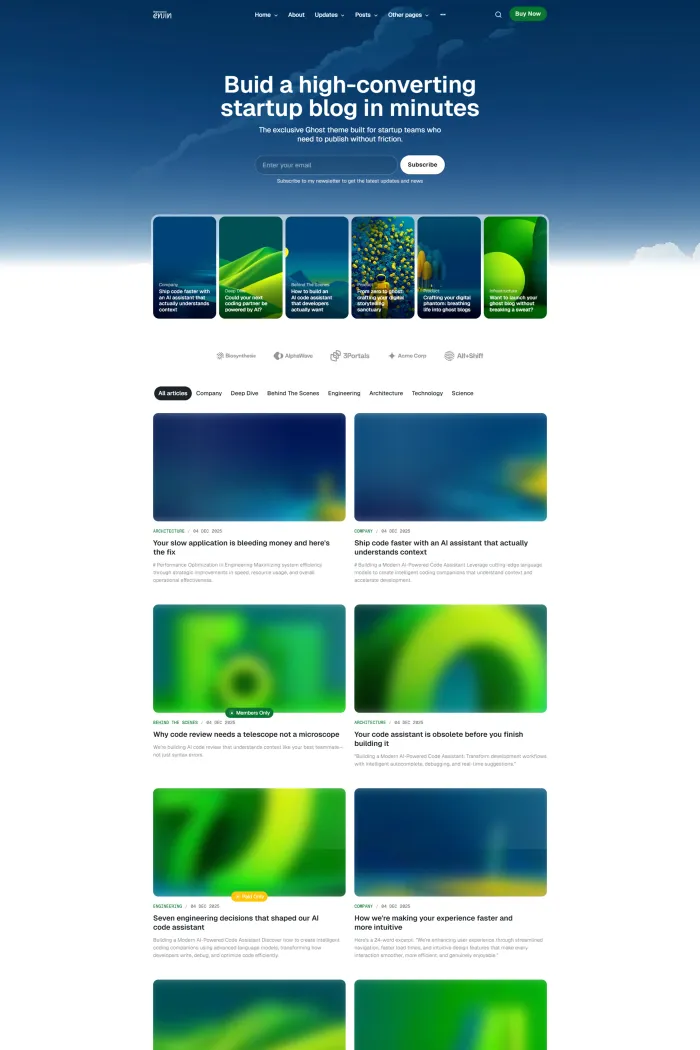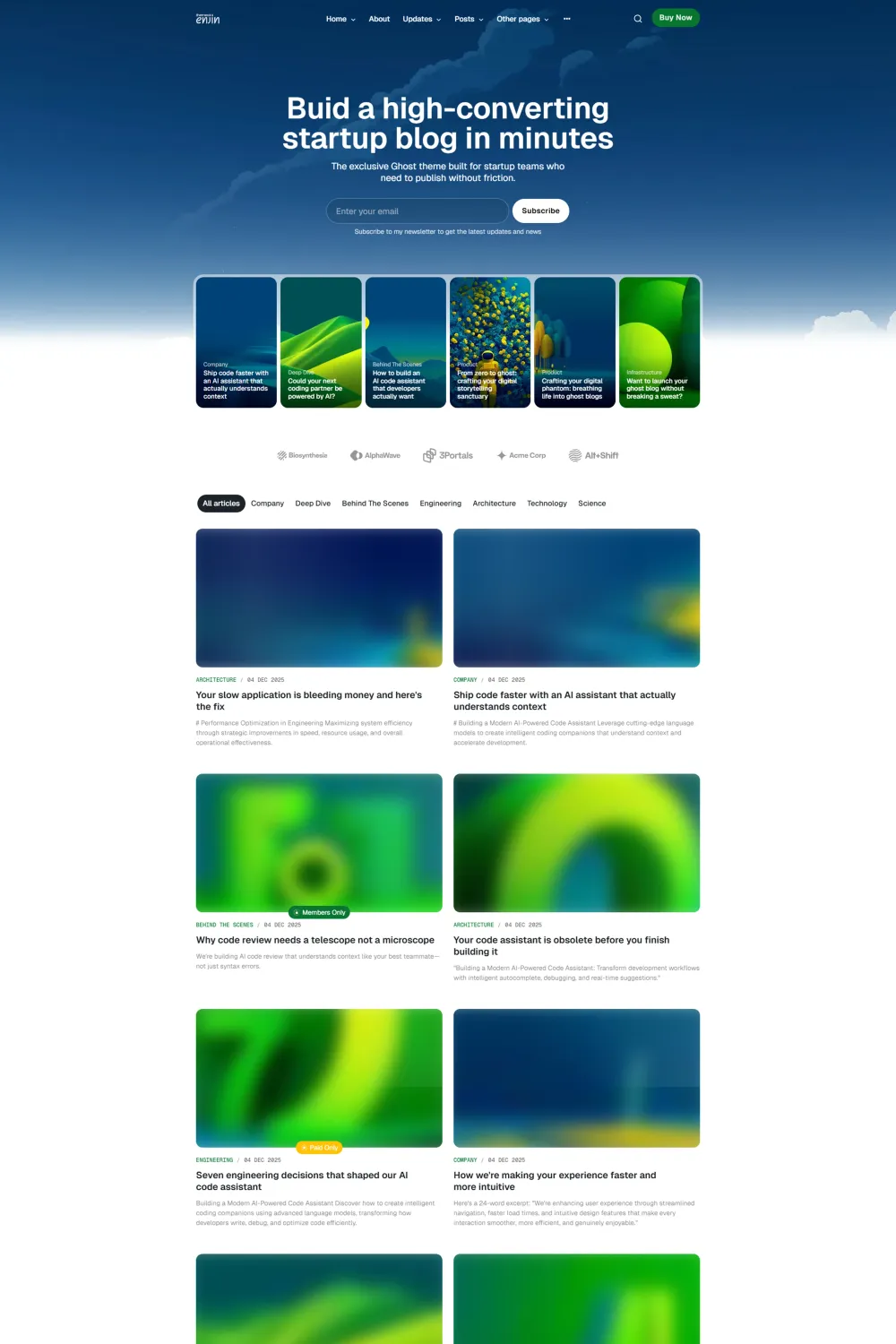

I really wanted to love the Enjin Ghost theme. On the surface, it’s a striking piece of design tailored for the modern publisher. But after spending hours digging into its documentation and testing its live performance, I’ve found that beauty, in this case, is only skin-deep. If you are looking for a reliable, inclusive, and polished theme for your Ghost publication, you might want to read this before hitting the "buy" button.
Enjin is marketed as a premier magazine theme by Themex Studio, designed to handle high-volume content with a certain level of aesthetic flair. It targets bloggers, publishers, and digital marketers who want that "big media" feel. However, in an era where web accessibility isn't just a courtesy but a legal requirement, Enjin falls short in ways that are hard to ignore.
Key Takeaways / TL;DR Summary
- Design First, Function Second: The layout is visually appealing but suffers from technical oversights in dark mode.
- Accessibility Warning: With a WCAG score of only 53%, this theme poses a significant risk for sites prioritizing inclusivity or US legal compliance.
- Membership Ready: Built-in support for Ghost’s membership and newsletter features works as expected.
- Performance Mixed Bag: While SEO and Best Practices scores are high, accessibility holds the overall user experience back.
- Recommendation: I do not recommend this theme due to persistent UI bugs and poor accessibility standards.
What makes the Enjin Ghost theme unique?
The primary differentiator for Enjin is its sophisticated magazine-style layout that manages to feel both airy and content-dense, though this is overshadowed by significant contrast and visibility issues in its dark mode implementation.
Theme Overview
Enjin is a Ghost magazine theme built by Themex Studio, specifically designed for publishers who need to showcase a variety of content categories on a single page. It is compatible with the latest versions of Ghost CMS (v5.x) and is fully responsive, looking decent on mobile devices at first glance.
The design philosophy leans toward a clean, editorial aesthetic. It’s intended for those who want their publication to look like a high-end digital journal. However, a theme is more than just its looks; it’s the foundation of your site's usability. This is where I started to find the cracks in Enjin’s armor.
Top Features of Enjin
- Dynamic Post Layouts: Offers multiple ways to display your articles, from featured grids to standard lists, which is great for keeping a homepage engaging.
- Ghost Membership Integration: Fully supports sign-up flows, "Join" buttons, and tiered content access for those running a subscription model.
- Dark and Light Mode: Includes a toggle for users to switch between modes, though the execution in dark mode is currently buggy.
- Customization Options: Through the Ghost admin, you can tweak brand colors and some layout settings without touching the code.
- Search Functionality: A native-feeling search overlay that helps readers find content quickly.
- Newsletter Optimized: Deep integration with Ghost’s native newsletter features to help grow your audience.
Pros & Cons
Pros
- Clean Typography: The font choices and spacing (in light mode) make for a very readable experience.
- Modern Aesthetic: It definitely captures the 2026 trend of "minimalist magazine" design.
- High Best Practices Score: Scored a 100 on Google PageSpeed Insights for Best Practices, meaning the code is technically clean and secure.
- SEO Optimized: With a score of 92, it handles the basics of search engine visibility quite well.
Cons
- Abysmal Accessibility: A 53% score and 15 major WCAG issues make it a liability for professional sites.
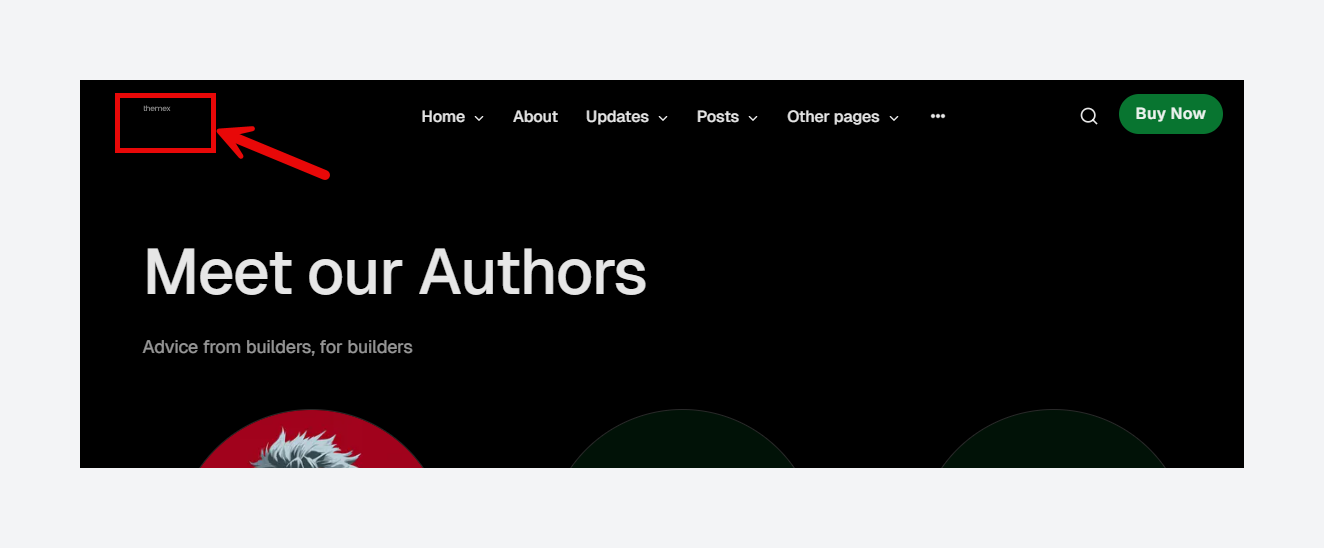
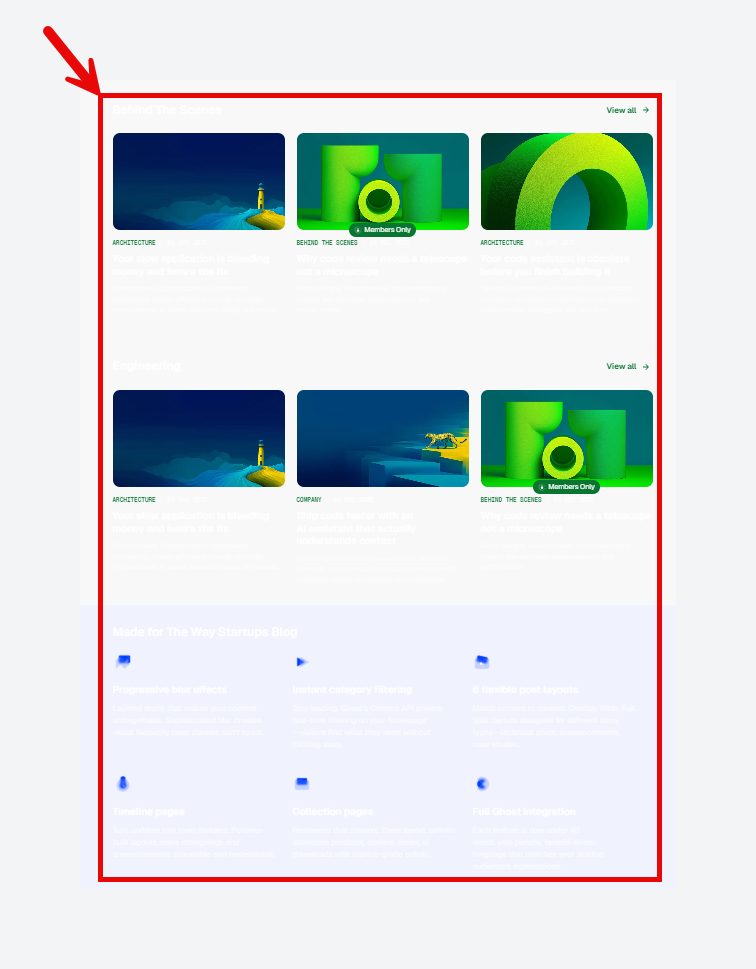
- Dark Mode Bugs: The logo often becomes invisible in dark mode, and highlighted sections after pagination simply disappear.
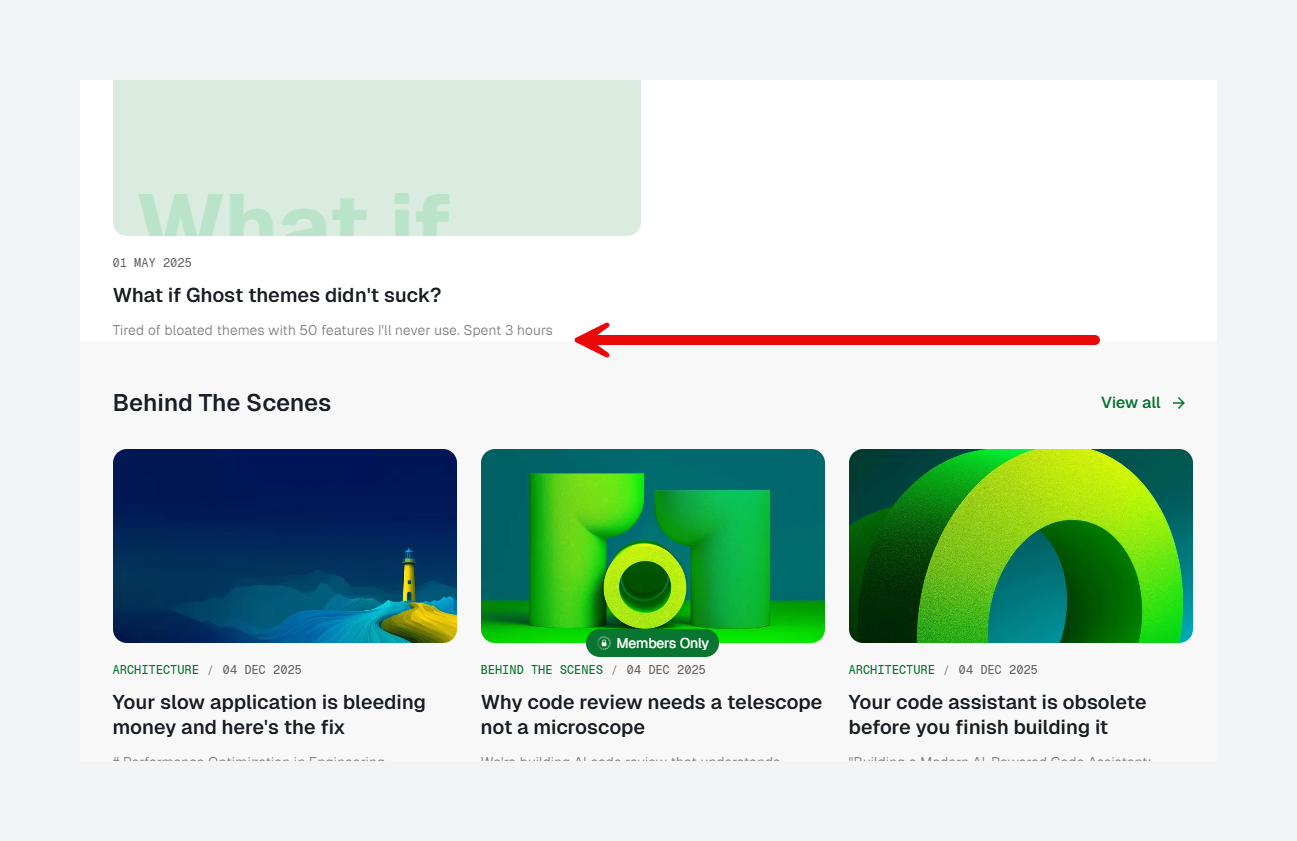
- Layout Spacing Errors: There is a noticeable lack of margin between the last blog post and the following section on the homepage, making the site feel cramped.
- Poor Contrast: Several elements fail the WCAG 2 AA minimum contrast ratio, making it difficult for low-vision users to navigate.
Performance, Security, & SEO Benefits
When I looked at the performance data, it was a tale of two cities. On one hand, the Ghost theme performance in terms of speed and SEO is solid. It hits a 92 on the SEO audit and a perfect 100 on Best Practices. This means Google will likely crawl your site efficiently, and you won't have to worry about the underlying technical health of the code.
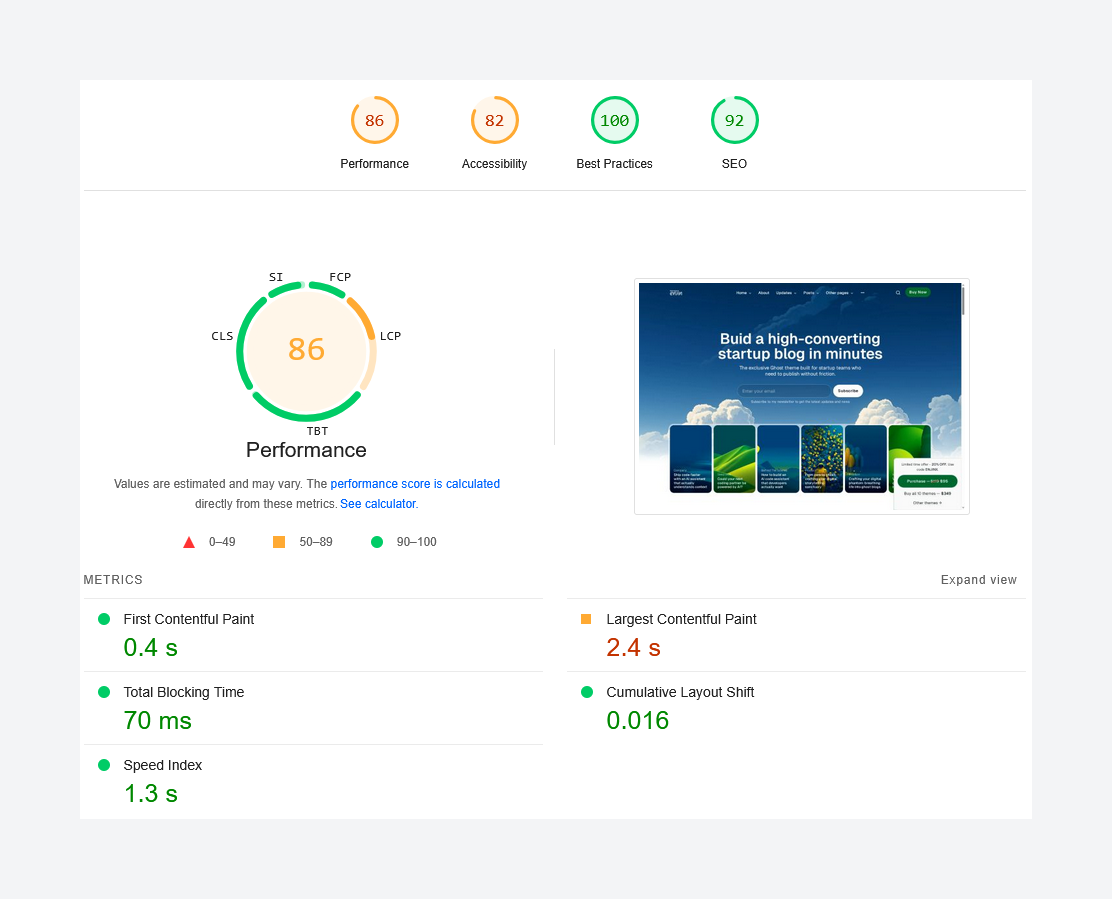
However, the Ghost CMS accessibility is where things fall apart. In 2026, accessibility is a cornerstone of SEO and user experience. Enjin’s scores are concerning:
- Accessibility Score: 82 (PSI) / 53% (ADA Compliance).
- Issues: Missing alt text on 6 images, incorrect heading orders, and landmarks that aren't uniquely identified.
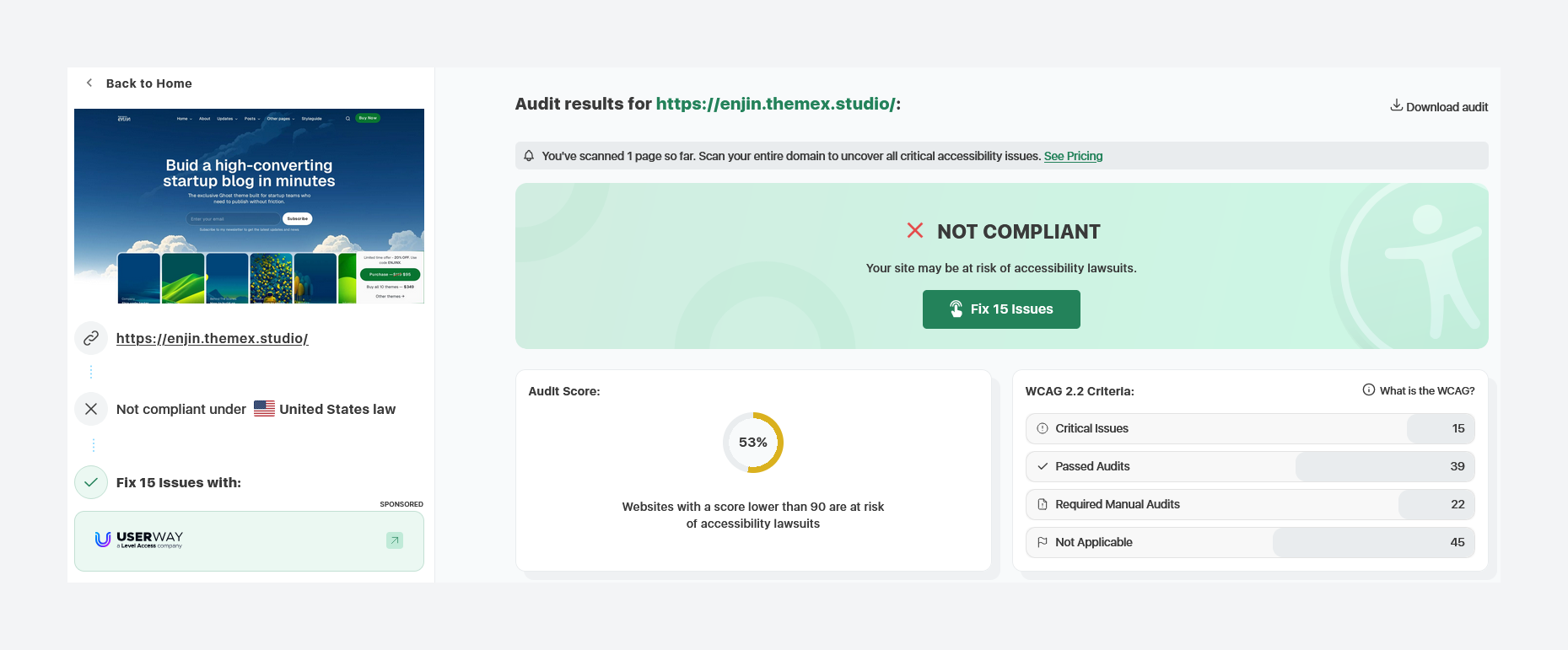
For publishers in the US, a score this low is a red flag for ADA compliance lawsuits. It’s not just about the law; it’s about making sure everyone can read your work.
Use Cases
For Digital Magazine Publishers
If you are running a high-traffic news site, the layout options are enticing. You can categorize content effectively. But be prepared to hire a developer to fix the dark mode CSS and accessibility tags.
For Independent Bloggers
The built-in membership features are a plus for those looking to monetize. However, the dark mode issues—specifically the invisible logo—can make your brand look unprofessional to half of your audience.
Installation & Customization Guide
Setting up Enjin follows the standard Ghost theme protocol.
- Download the Theme: Get the .zip file from your account.
- Upload to Ghost: Go to
Settings > Design > Change Theme > Upload Theme. - Activate: Click activate to make Enjin your live theme.
- Configure Brand: Upload your logo and set your accent colors. Note: Test your logo in both light and dark modes immediately.
- Set up Navigation: Use the Ghost admin to map your primary and secondary menus.
Rating & Recommendation
My Rating: ★★★☆☆ (3/5)
I cannot recommend the Enjin Ghost theme at this time. While the visual design is modern and the SEO basics are handled well, the lack of attention to accessibility is a dealbreaker. In a professional setting, having a theme where the logo disappears in dark mode or where low-vision users can't read the text is unacceptable.
If you are a hobbyist who doesn't mind diving into the CSS to fix these bugs yourself, Enjin provides a decent visual skeleton. But for most best Ghost themes for publishers, you expect these issues to be resolved out of the box. Until Themex Studio addresses the contrast ratios and the dark mode visibility bugs, I’d suggest looking elsewhere.
FAQs
Is the Enjin Ghost theme responsive? Yes, the theme is designed to be responsive across desktops, tablets, and smartphones, though some layout spacing issues persist on mobile.
Does Enjin support Ghost’s membership features? Yes, it is fully integrated with Ghost’s membership and subscription tiers, including custom sign-up and login pages.
Why is accessibility important for my Ghost theme? Accessibility ensures that people with disabilities can navigate your site. Low accessibility scores can also negatively impact your SEO and leave you vulnerable to legal issues.
Can I use my own logo with Enjin? You can, but be aware that there is a known bug where the logo may not be visible when the theme is toggled to dark mode.
Is Enjin optimized for SEO? Yes, it carries a high SEO score of 92 on Google PageSpeed Insights, covering basic meta tags and crawlability.
Enjin alternatives
- Haas: A fantastic choice for those who prefer high-end typography and a more minimalist approach to newsletters.
- Feature: If you want a theme that handles a massive amount of content without the accessibility headaches of Enjin, this is a top contender.
- Aspect: Ideal for visual storytellers who want a heavy focus on photography and large, impactful imagery.
- Paradigm: A bold, grid-based theme that offers a very modern feel with much better technical stability.
Conclusion
The Enjin Ghost theme is a bit of a heartbreak. It looks great in the demo, but the user experience for anyone using dark mode or assistive technology is subpar. For a theme that costs money and time to set up, you deserve a product that is polished and inclusive. My advice? Skip this one until a major update is released and choose one of the more stable alternatives I've listed above.